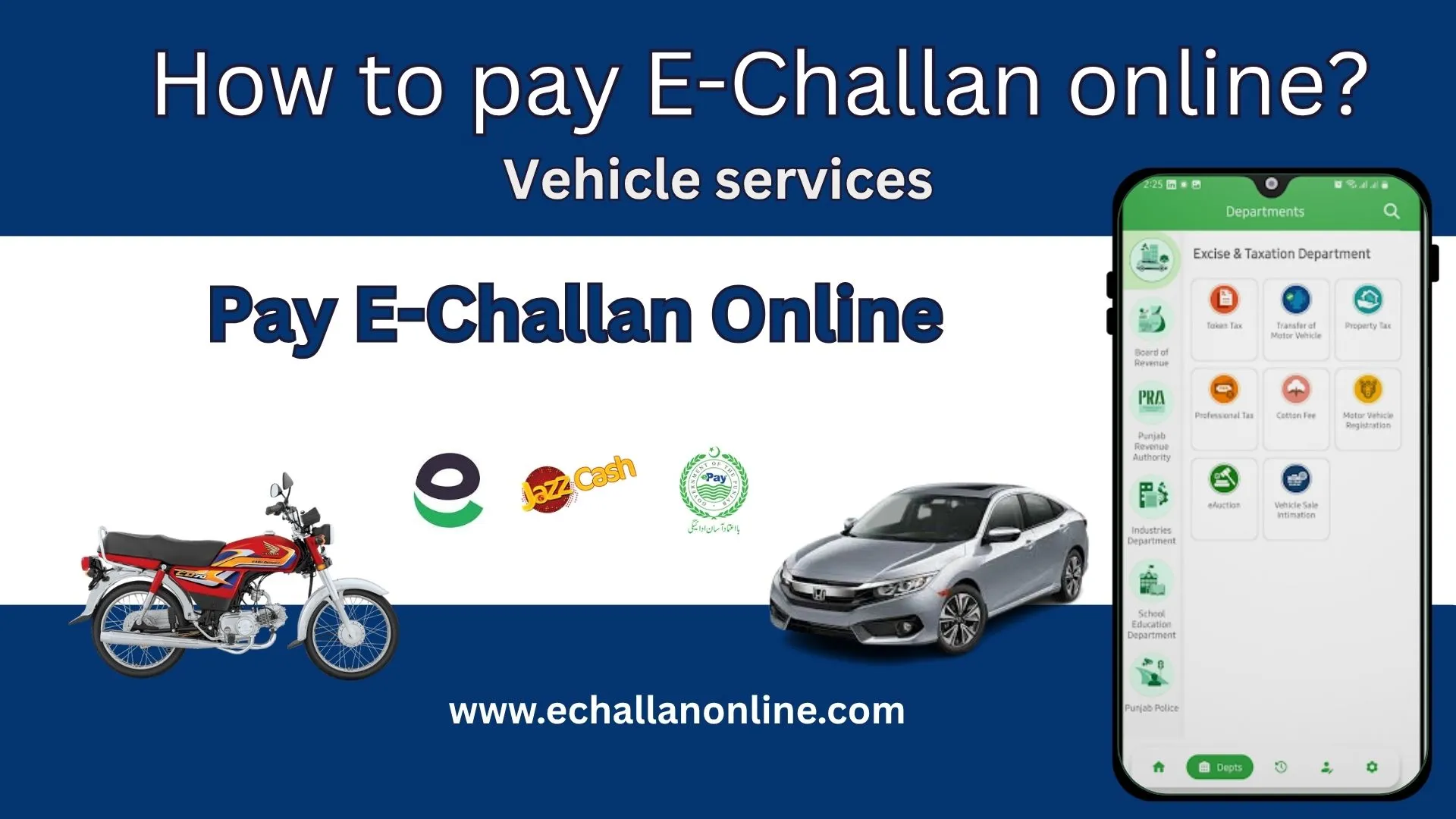
Pay e-Challan Online Via ePay Punjab
Wonder how to pay e-challan online issued against your registered vehicle can now be paid via the ePay Punjab App. The Punjab Safe City authority issues the traffic fines through ANPR cameras installed across the cities of Punjab. To pay these fines, you do not need to be in long queues or visit the traffic police offices. The PSCA provides a safe and secure e-challan payment method via the ePay Punjab App. If you have received a traffic fine in Punjab, read the guide below on How to pay e-challan online.
How to Pay E-Challan Online with the ePay App
Paying the traffic fines with ePay Punjab is a simple process that allows you to pay all the fine dues all at once. Follow the steps below to clear your challan dues.
Get the Punjab ePay App
Download the ePay Punjab App available on Google Play Store and Apple Store. You can also access the online portal.
Register an Account
Open the App and register the account, enter your name, Phone Number, Email address, and select a strong password. You will receive the code on your Phone number and account activation email at the provided email address.
Once you have completed the verification, log in by entering the registered number and password.
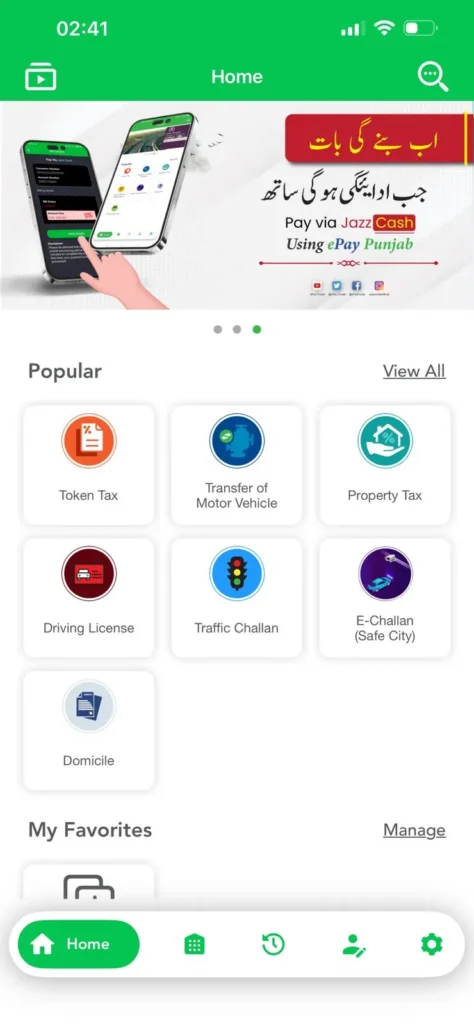
Select PSCA E-Challan Option
If you are using the ePay app you will see the PSCA E-Challan option in front of the screen. If you are on the web portal, you will need to scroll down to select the option.
Once you click the PSCA E-Challan option, you will be directed to the E-Challan Portal.
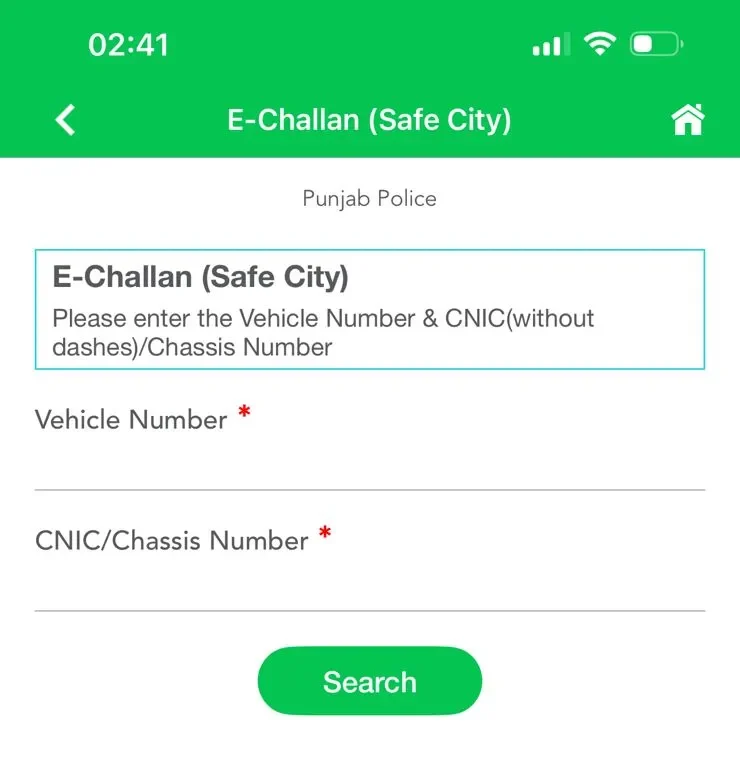
Provide Vehicle Details
To find the E-Challan against the vehicle, enter the:
- Registration Number (Number Plate of Vehicle)
- National Identity Card Number (CNIC Number)
Double-check the entered details and click “Search”.
View Challan Against Your Vehicle
You will then see all the e-challans along with the following details:
- Challan Number
- Date & Time of Violation
- Location of Violation
- Type of Violation
- Vehicle Type, Make, and Color.
- Owner’s Details
- Captured Evidence.
- Fine Amount.
- Fine Due Date.
- Payment Status.
If there is no challan against your vehicle, then the system will show “No Search Results.”
Select Challans to Pay
If your vehicle has multiple challans, you can pay them all at once. You have the option to:
- Pay only one Challan.
- Pay multiple challans.
- You can clear all the Due fines at once.
Generate Challan PSID
Once you have selected the fine you need to pay, click on “Generate Challan”.
17 Digit Payment Slip ID will be generated, e.g, (23423423423233242)
You will use this PSID while paying the challan.
Options for How to Pay E-Challan Online
Once you have generated the Payment Slip ID, you can now pay the challan amount using any payment digital banking app or Mobile Banking app.
You can pay the challan through:
- JazzCash.
- Easypaysa.
- Sadapay.
Or any Mobile banking app which includes:
- HBL
- UBL
- Meezan Bank
- Alflah Bank
- Bank of Punjab
- Faysal Bank
- Askari Bank
Note: If you have received the Physical Challan by post at your registered address, the Payment Slip ID will be given on the challan, which you can use to pay the fines. You can also visit the nearest Bank of Punjab branch to clear the challan dues.
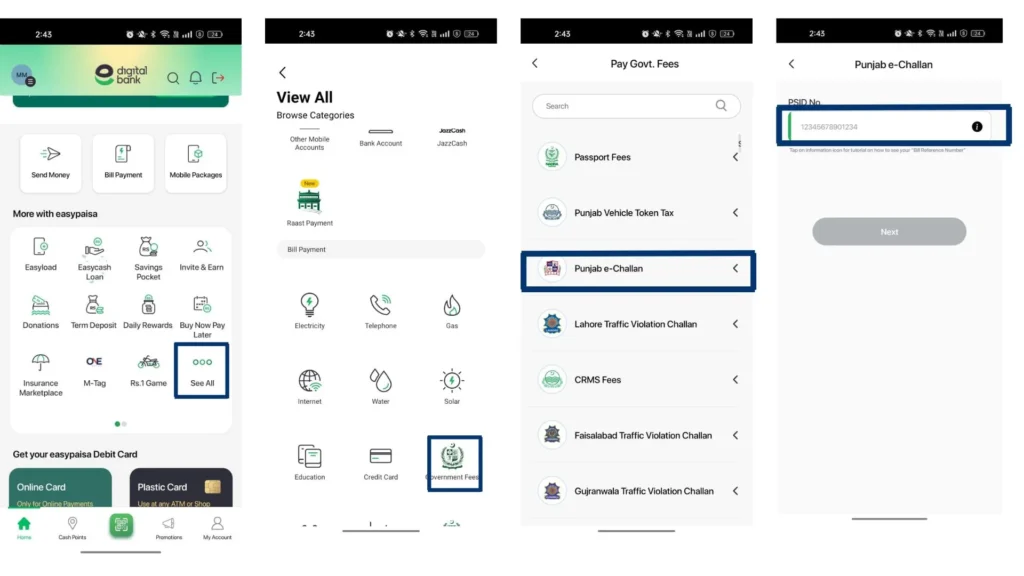
How to Pay E-Challan Online with a Mobile App?
Follow the steps below to pay E-challan online with mobile banking apps.
- Open your bank App.
- Go to the Bill payment section.
- Select the option of Government Fees.
- Select PSCA E-Challan from the list shown on your screen.
- Enter your 17 Digit PSID and proceed to pay the due amount.
Important Tips to Pay E-challan Online
Pay on Time: To avoid any penalties, make sure to pay your fine dues on time.
Verify Challan Authenticity: If you believe that the challan has been issued incorrectly, you can verify it from here.
Keep the Document Updated: Make sure the vehicle’s registration and your contact details are up to date with the excise and taxation department. So they don’t mistakenly issue challans for another person’s vehicle in your name.
Sufficient Funds: While paying for the challan via the banking app, make sure that you have sufficient funds in your account.
Conclusion
The question for How to pay E-Challan Online has been resolved with the Punjab ePay. You will generate the PSID from the app for the payment and using that payment ID you can clear you fine dues with any banking app, or digital banking apps including Easypaysa and JazzChash. Go to the government payment option, select the PSAC E-Challan enter the PSID generated with ePay app and proceed to pay the amount.